Tools
How to draw a plan online, see it in 3D and download it as PDF
Step-by-step guide to our free plan editor: draw walls, doors and windows, give zones a height, view it in 3D and download the plan as PDF or JPG. No sign-up.
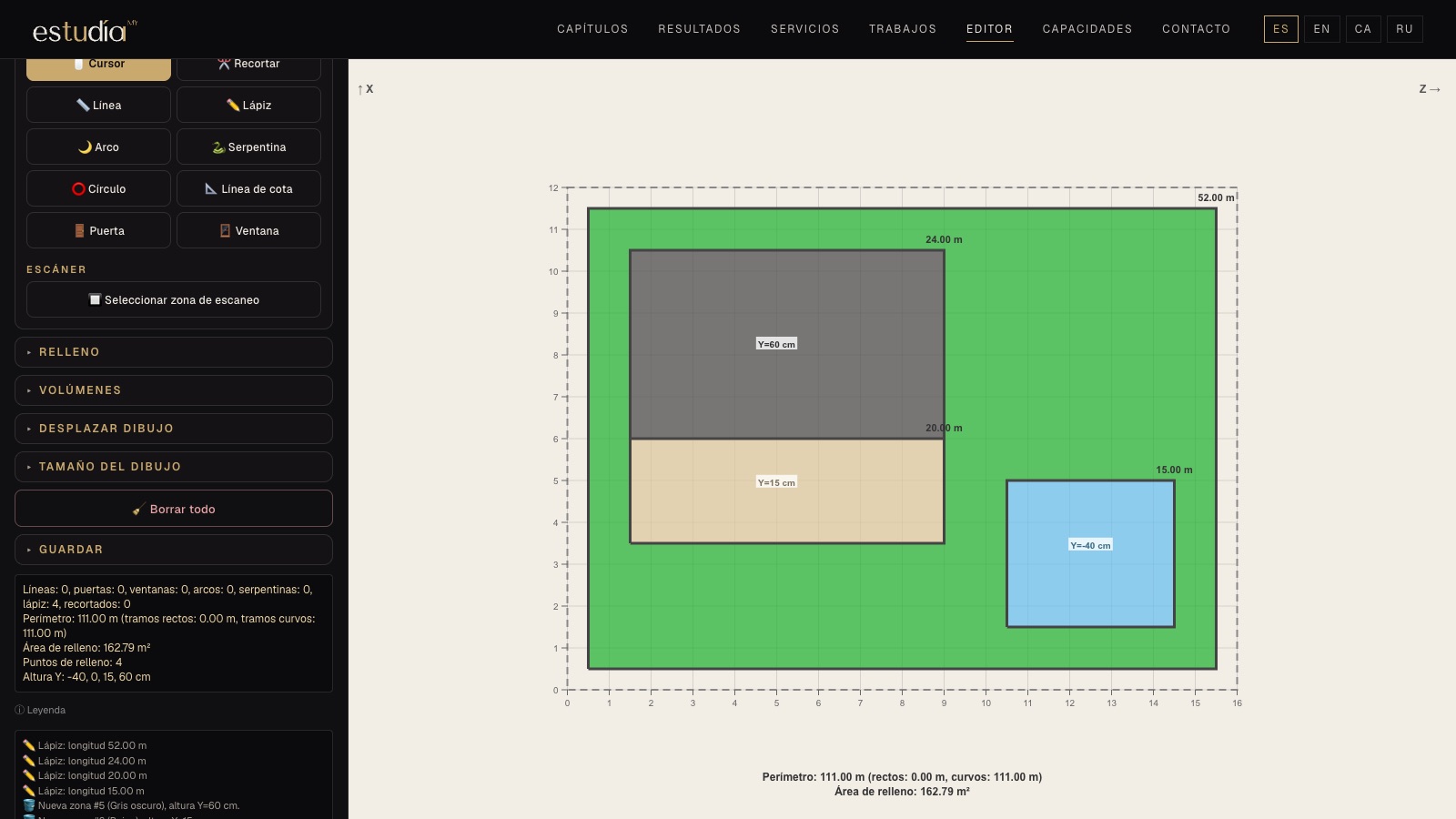
To get a quote for a renovation, explain your plot to a gardener or just think about where each piece of furniture goes, a plan with measurements is worth more than a thousand photos. Our plan editor is free, runs in the browser and needs no sign-up: what you draw stays on your device.
1. Set the field size
Open the Field menu and enter the width and length in metres: a 4 × 5 room, a 10 × 12 home or a 30 × 40 plot. The grid and ruler adjust automatically. Keep Snap to 10 cm grid on so lines fit together effortlessly.
2. Draw the outline
In Tools choose Line, click the first point, then enter the angle and length or drag with the mouse. For free shapes there is the Pencil; for curves, Arc and Snake; for pillars or fountains, Circle. Doors and Windows go on the wall with their opening width.
Tip: with the Cursor you can select any element, move it, reshape it with the yellow points or copy it with an exact offset.
3. Add measurements
The Dimension line adds visible measurements, as in a professional drawing. Perimeter and area are calculated automatically below the drawing.
4. Fill zones and give them height
With Fill, click inside a closed area and choose a colour: lawn, paving, water, decking… Each zone can have its own height in centimetres. In Volumes you add slopes and cones for embankments, mounds or ramps.
5. See it in 3D
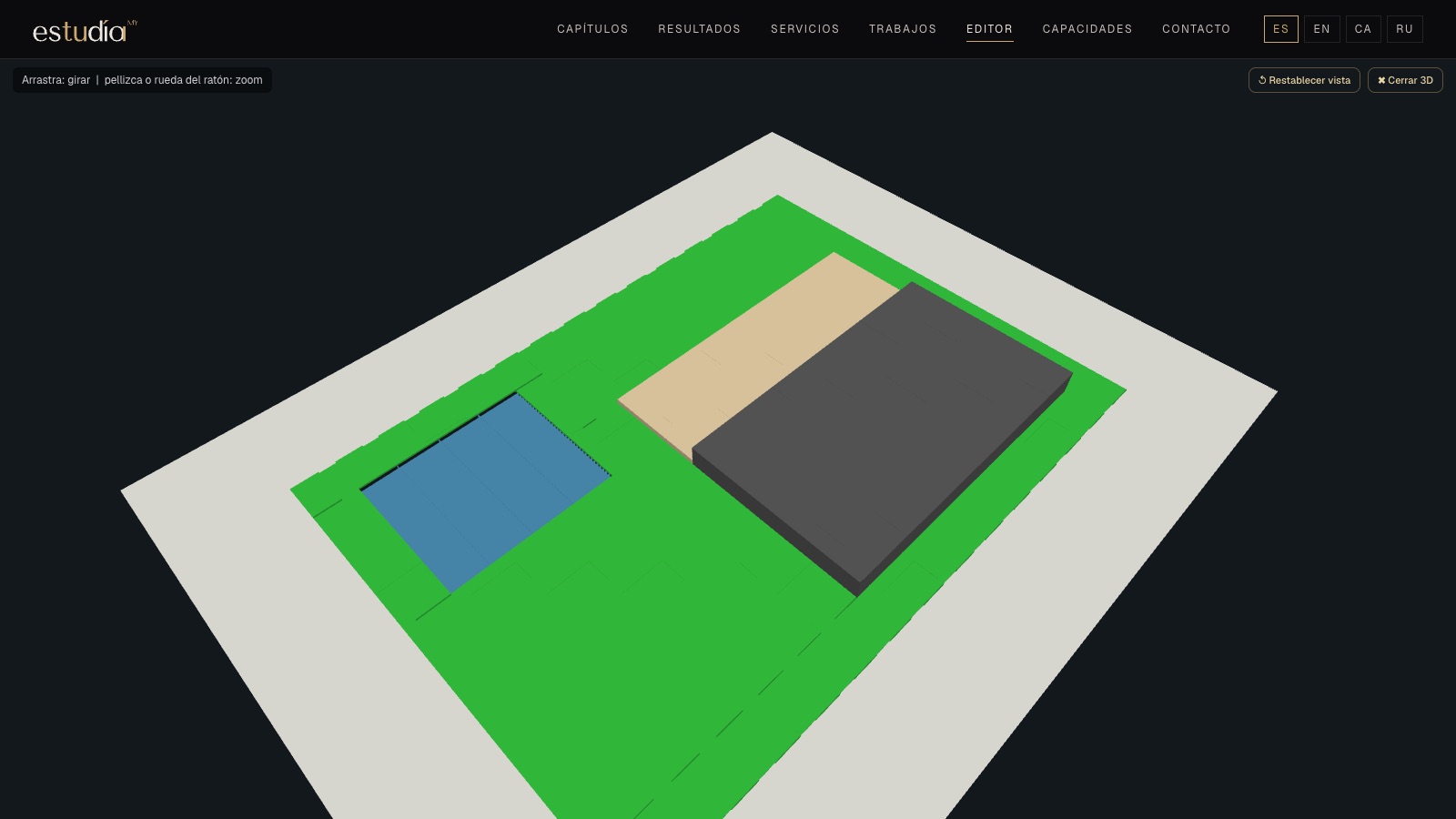
The 3D button opens a volumetric view of the plan. Drag to rotate, use the wheel to zoom and double-click any point to bring it to the centre of the screen.
6. Have a paper plan or an aerial photo?
In the Background menu you can load an image, scale it to real size and draw over it. The Scanner tries to trace the lines automatically; then you only correct what's extra.
7. Save and download
In Save choose the format:
- PDF or JPG to print or email;
- HTML to keep editing later: the file stores the whole drawing and opens in any browser.
What next?
Your own plan is the best starting point for a quote. If you'd like to turn it into a complete garden or renovation project — scaled drawings, quantities, itemised budget and a 3D walkthrough — send it to us. → Turnkey projects